When you mark a job complete, project delivered, or invoice paid in Envision Cloud Management Software, Reviewflowz automatically sends a review request to your client via email, SMS, or WhatsApp. Set it up once and forget it. Every client gets asked using the data already in your system.
Know exactly who your advocates are
When a client leaves a review (positive or negative), that signal flows directly into their record inside Envision Cloud Management Software. Now you can instantly identify your biggest promoters and take action. Ask your happiest clients for video testimonials, referrals, or case studies to fuel your growth.
Staff attribution without the name-drop
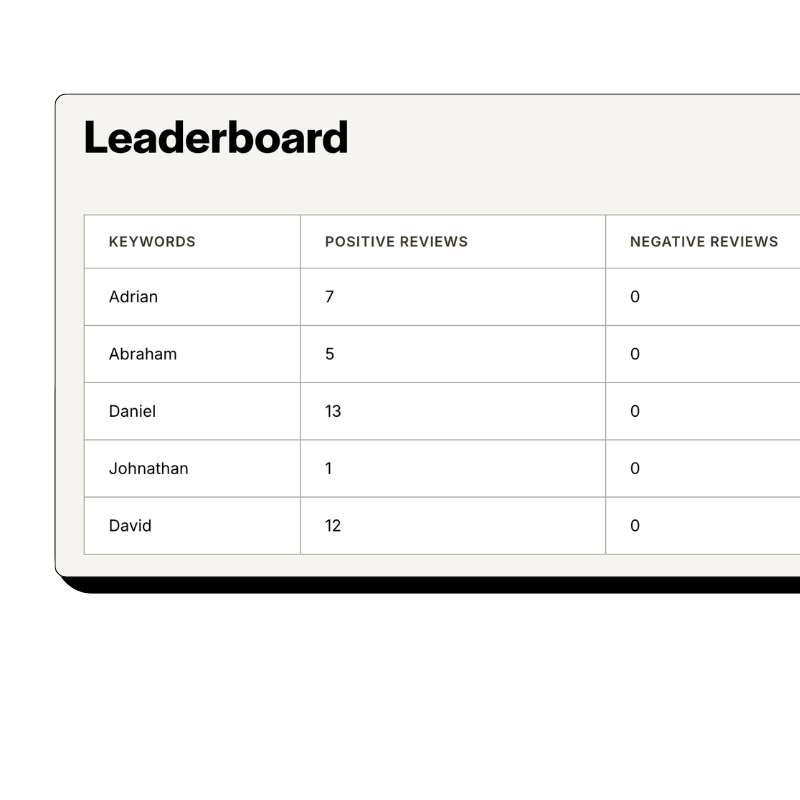
Most businesses ask customers to mention a staff member by name in their review. Problem: Google flags those reviews more often, and customers forget or misspell names. Reviewflowz takes a different approach. Because it's connected to Envision Cloud Management Software, it already knows who handled each job or project. When the review comes in, it's automatically attributed with no name needed. Reviews read naturally, fewer get removed, and you still get per-person performance data.
How serious are you about your reviews?
Get up and running in minutes • Upgrade when you're ready
A business with 200 reviews sounds impressive until you realize they've served 15,000 customers. That's a 1.3% conversion rate. Your competitor has 80 reviews from 2,000 customers, a 4% rate. They're winning. Because Reviewflowz connects to Envision Cloud Management Software, it knows exactly how many job or projects you completed, so instead of celebrating raw numbers, you see: 342 job or projects this month, 47 reviews, 13.7% conversion rate. That's the number you optimize against.
Every review gets a reply. Finally.
Replying to reviews boosts your Google ranking, builds trust with future customers, and gives unhappy ones a reason to come back. But who has time to reply to every single one? Reviewflowz generates on-brand replies using AI across Google, Yelp, Facebook, and 200+ other sites. Approve them manually or let them publish automatically.
FAQs
Everything you need to know about the product and billing. Can’t find the answer you’re looking for? Please chat to our team.
What review sites should I focus on?
Google is always your #1 priority since it's where most customers discover and research businesses. Beyond Google, focus on Yelp, Facebook, and Trustpilot as they're valuable across most business types, plus any industry-specific platforms relevant to your sector. The good news is that Reviewflowz monitors all 200+ review platforms from one dashboard, so you don't have to choose or juggle multiple accounts.
How do I measure my review performance?
Most businesses only track total review count, but that's meaningless without knowing your customer volume. A competitor with 80 reviews from 2,000 clients (4% conversion rate) is outperforming you even if you have 200 reviews from 15,000 clients (1.3% conversion rate). Reviewflowz automatically calculates your true review conversion rate by pulling your job and project data directly from Envision Cloud Management Software, giving you the complete picture of your review performance.
How does the review request actually get sent?
When a specific event occurs in Envision Cloud Management Software (like a job completion, project delivery, or invoice payment), Reviewflowz automatically triggers a review request to your client through your chosen channel: email, SMS, or WhatsApp. You configure this once by selecting your trigger event and preferred communication method, then every future client automatically receives a review request without any manual work from you. It's a complete set-and-forget system that runs in the background of your Envision workflow.
Can I send review requests via WhatsApp?
Yes, Reviewflowz supports WhatsApp review requests alongside email and SMS options. WhatsApp delivers nearly 98% open rates, making it far more effective than email, and works automatically when jobs are completed, projects delivered, or invoices paid in Envision Cloud Management Software. It triggers the same way as our email and SMS features, requiring no additional setup or manual intervention.
Can I track which team member generates the most reviews?
Yes, Reviewflowz automatically tracks which team member generates each review by connecting directly to your Envision Cloud Management Software to see who handled each job or project. When reviews come in, they're automatically attributed to the right team member without clients needing to mention anyone by name. This also helps avoid Google's tendency to flag and remove reviews that specifically mention staff names.
How long does it take to set up Reviewflowz with Envision Cloud Management Software?
Setup takes just minutes, not days. Simply connect your Envision Cloud Management Software to Reviewflowz, select your trigger and communication channel, and you're live with no developer required. Your first automated review request goes out the same day.
How much do review request emails and SMS cost?
Review request emails cost $5 per 1,000 emails and SMS costs $5 per 100 messages on a pay-as-you-go basis with no monthly minimums or contracts. For most businesses using Envision Cloud Management Software, this translates to just pennies per review collected. WhatsApp pricing varies by country and follows the same flexible credit system.