When you mark a job complete, deliver a project, or record a payment in Easyly, Reviewflowz automatically sends a review request to your client via email, SMS, or WhatsApp. Set it up once and forget it. Every client gets asked using the data already in your Easyly system.
Know exactly who your promoters are
When a client leaves a review (positive or negative), that signal flows directly into their Easyly record. Now you can instantly identify your biggest advocates and take action. Ask your promoters for referrals, testimonials, or case studies to fuel your growth.
Staff attribution without the name-drop
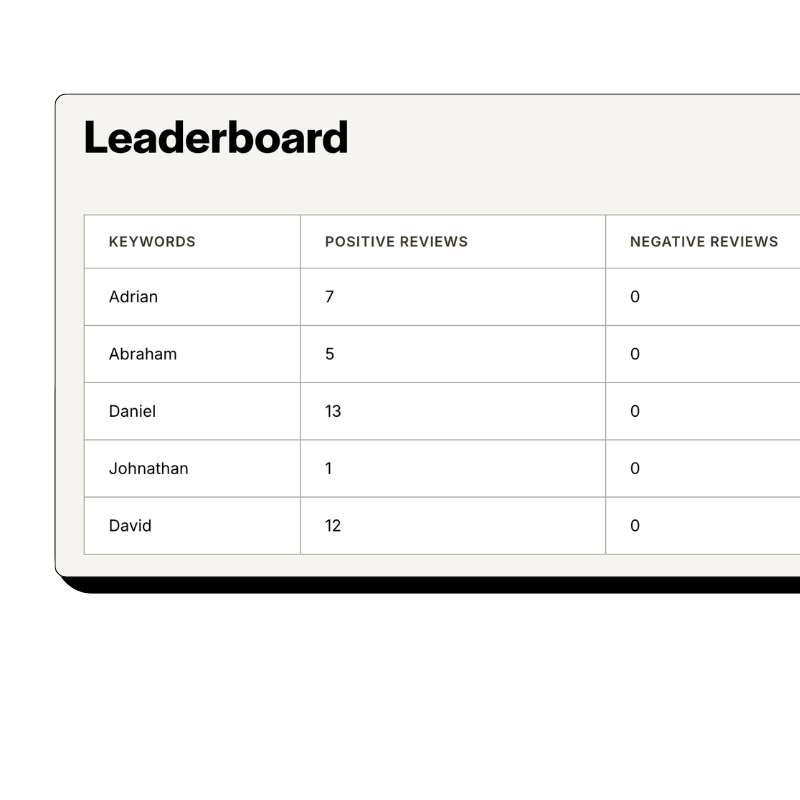
Most businesses ask customers to mention a staff member by name in their review. Problem: Google flags those reviews more often, and customers forget or misspell names. Reviewflowz takes a different approach. Because it's connected to Easyly, it already knows who handled each project or job. When the review comes in, it's automatically attributed to the right team member. Reviews read naturally, fewer get removed, and you still get per-person performance data.
How serious are you about your reviews?
Get up and running in minutes • Upgrade when you're ready
A business with 200 reviews sounds impressive until you realize they've completed 15,000 job or projects. That's a 1.3% conversion rate. Your competitor has 80 reviews from 2,000 job or projects. A 4% rate that destroys yours. Because Reviewflowz connects to Easyly, it knows exactly how many job or projects you completed, so instead of celebrating raw numbers, you see: 342 job or projects this month, 47 reviews, 13.7% conversion rate. That's the number your competitors can't track.
Stop ignoring reviews. Start replying at scale.
Replying to reviews boosts your Google ranking, builds trust with future customers, and gives unhappy ones a reason to come back. But who has time to reply to every single one? Reviewflowz generates on-brand replies using AI across Google, Yelp, Facebook, and 200+ other sites. Approve them manually or let them publish automatically.
FAQs
Everything you need to know about the product and billing. Can’t find the answer you’re looking for? Please chat to our team.
What review sites should I focus on?
Google Reviews should always be your top priority since it's the most visible to potential customers. Beyond Google, focus on Yelp, Facebook, and Trustpilot as they're valuable across most business types, plus any industry-specific platforms relevant to your sector. With Reviewflowz monitoring all 200+ review platforms from one dashboard, you don't have to choose just a few.
How do I measure my review performance?
Most businesses only count total reviews, but that's meaningless without knowing how many customers you actually served. Reviewflowz automatically calculates your true review conversion rate by connecting to your Easyly data to get the complete picture. For example, 50 reviews from 500 projects (10% conversion) beats 200 reviews from 10,000 projects (2% conversion) every time.
How does the review request actually get sent?
When a specific event happens in Easyly (like a job being marked complete, project delivered, or invoice paid), Reviewflowz automatically triggers a review request to your client via email, SMS, or WhatsApp. You configure this once by selecting your trigger event and preferred communication channel, then every future client automatically receives a review request without any manual work from you. It's completely set-and-forget once you've chosen your settings.
Can I send review requests via WhatsApp?
Yes, Reviewflowz supports WhatsApp review requests with near 98% open rates, significantly higher than email. WhatsApp requests are automatically triggered from Easyly when jobs are completed, projects delivered, or invoices paid, just like email and SMS. This makes WhatsApp especially powerful in markets where it's the primary communication channel.
Can I track which team member generates the most reviews?
Yes! Since Reviewflowz integrates directly with Easyly, it automatically knows which team member handled each job or project, so when reviews come in they're attributed to the right person without clients needing to mention names. This also helps avoid Google's review filters, since reviews mentioning specific staff names are more likely to get flagged and removed.
How long does it take to set up Reviewflowz with Easyly?
Setup takes just minutes, not days. Simply connect your Easyly account, select your trigger and preferred channel, and you're live with no developer or IT support needed. Your first automated review request goes out the same day.
How much do review request emails and SMS cost?
Reviewflowz charges $5 per 1,000 emails and $5 per 100 SMS on a pay-as-you-go basis with no monthly minimums or contracts. For most businesses, this works out to just pennies per review collected. WhatsApp pricing varies by country but follows the same pay-as-you-go model.